Create beautiful invoices with flexible payment schedules, online payment options, and automated reminders.

Create invoices that match the way planners actually collect payment, from detailed line items to payment schedules that can be tailored around dates, amounts, deposits, and retainers.
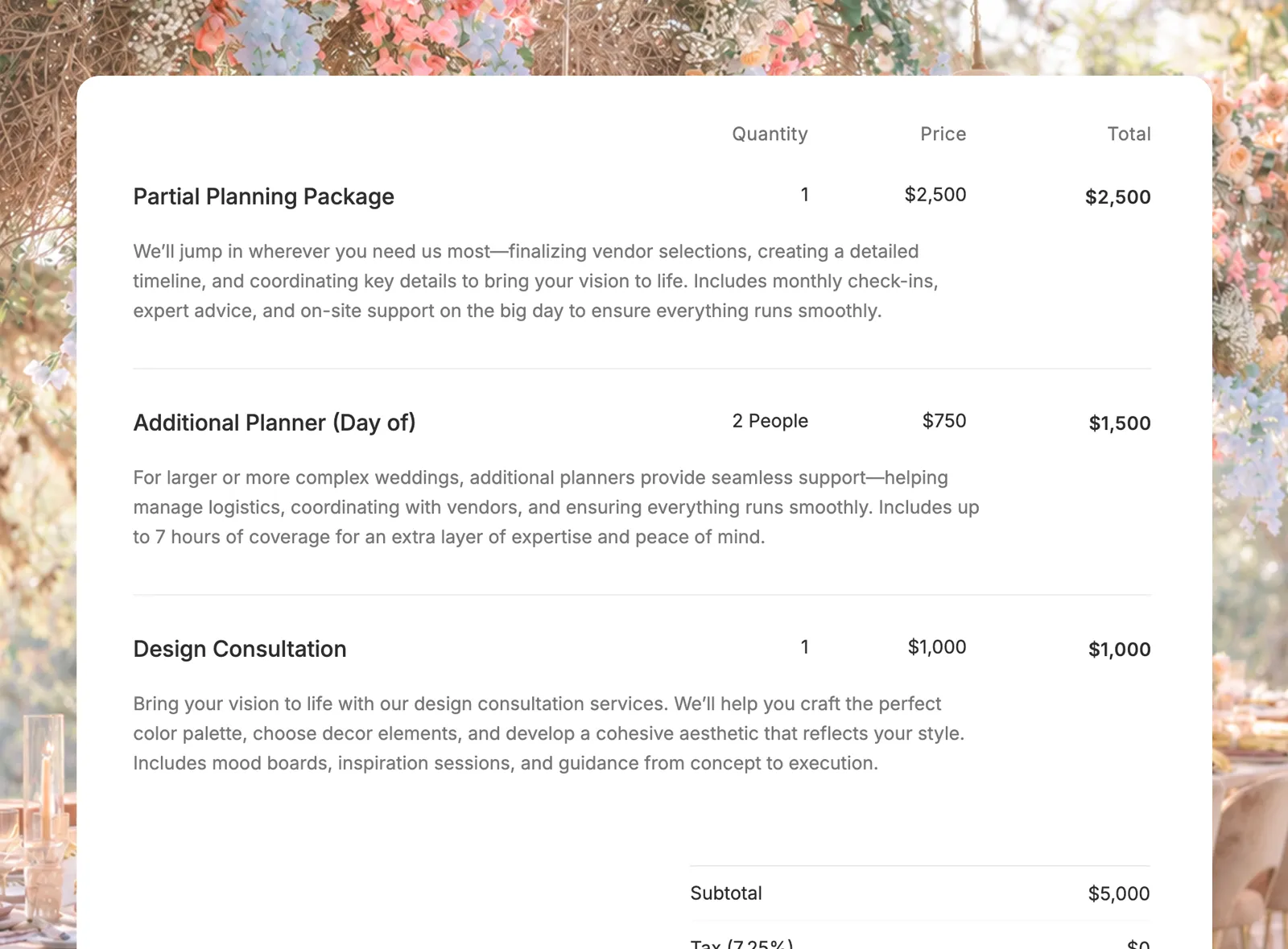
Build invoices with clear line items, descriptions, quantities, and taxable items so clients can understand exactly what they are being billed for.
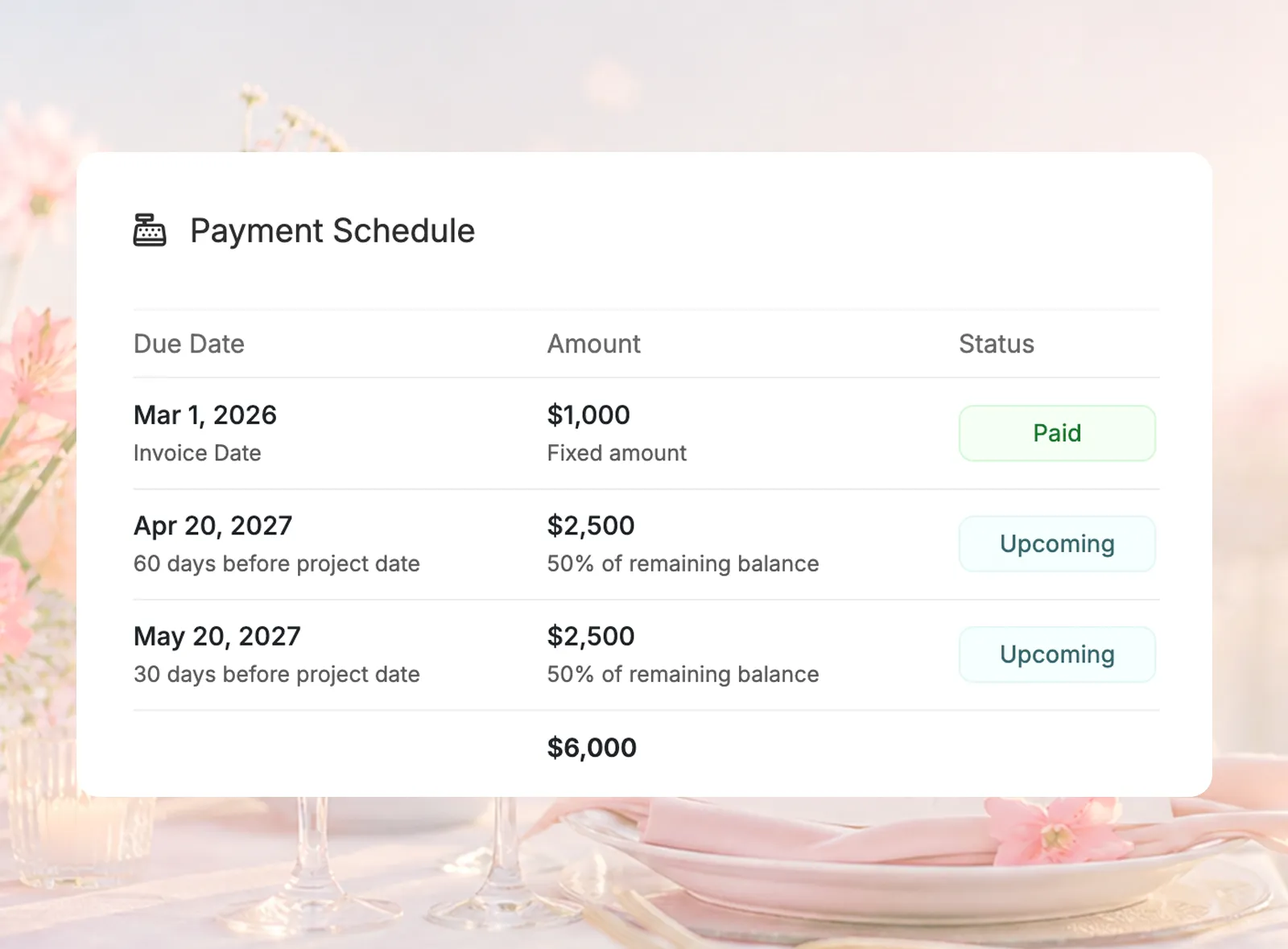
Split an invoice into the payments your booking terms require, with due dates based on the invoice date, project date, a calculated offset, or a specific calendar date.
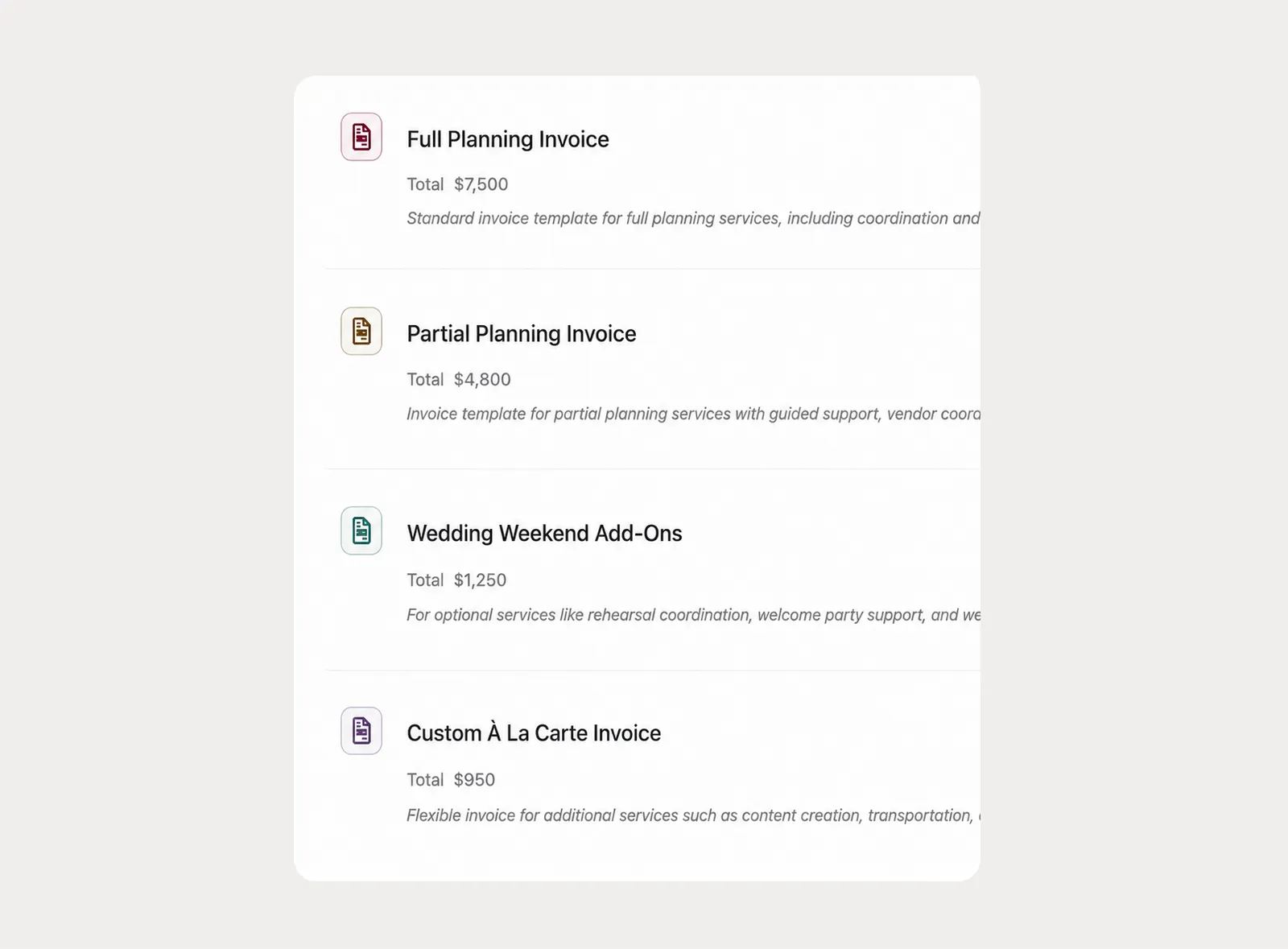
Create company-level invoice templates for the packages and payment structures your team uses often, then apply and customize them for the specific client.
Share invoices in the way each client needs, accept online card payments when Stripe is connected, and keep payment follow-up moving without writing every reminder from scratch.
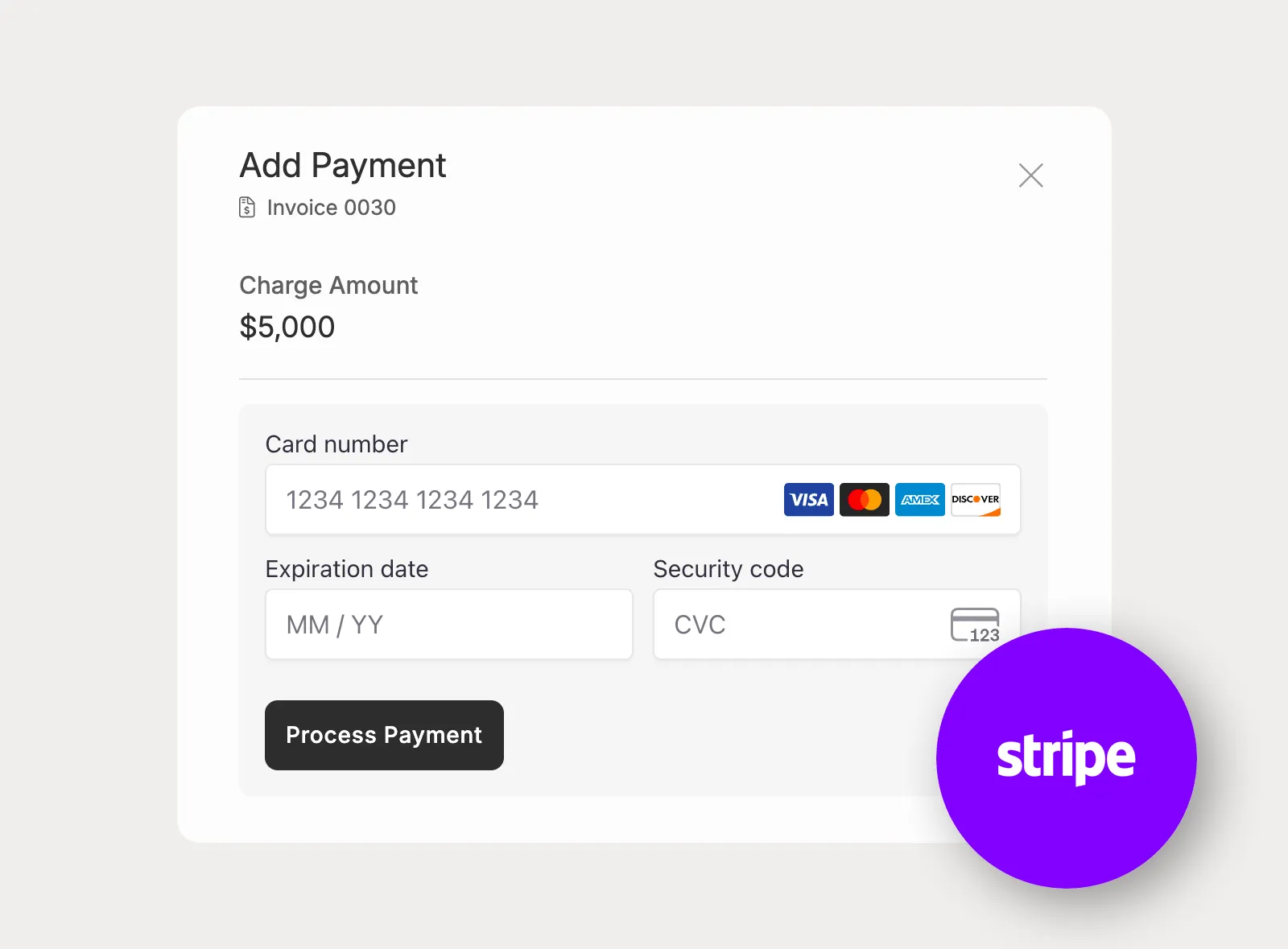
Connect Stripe to let clients pay invoices by card through Planpage, using Stripe's payment platform while keeping invoice status visible to the planning team.
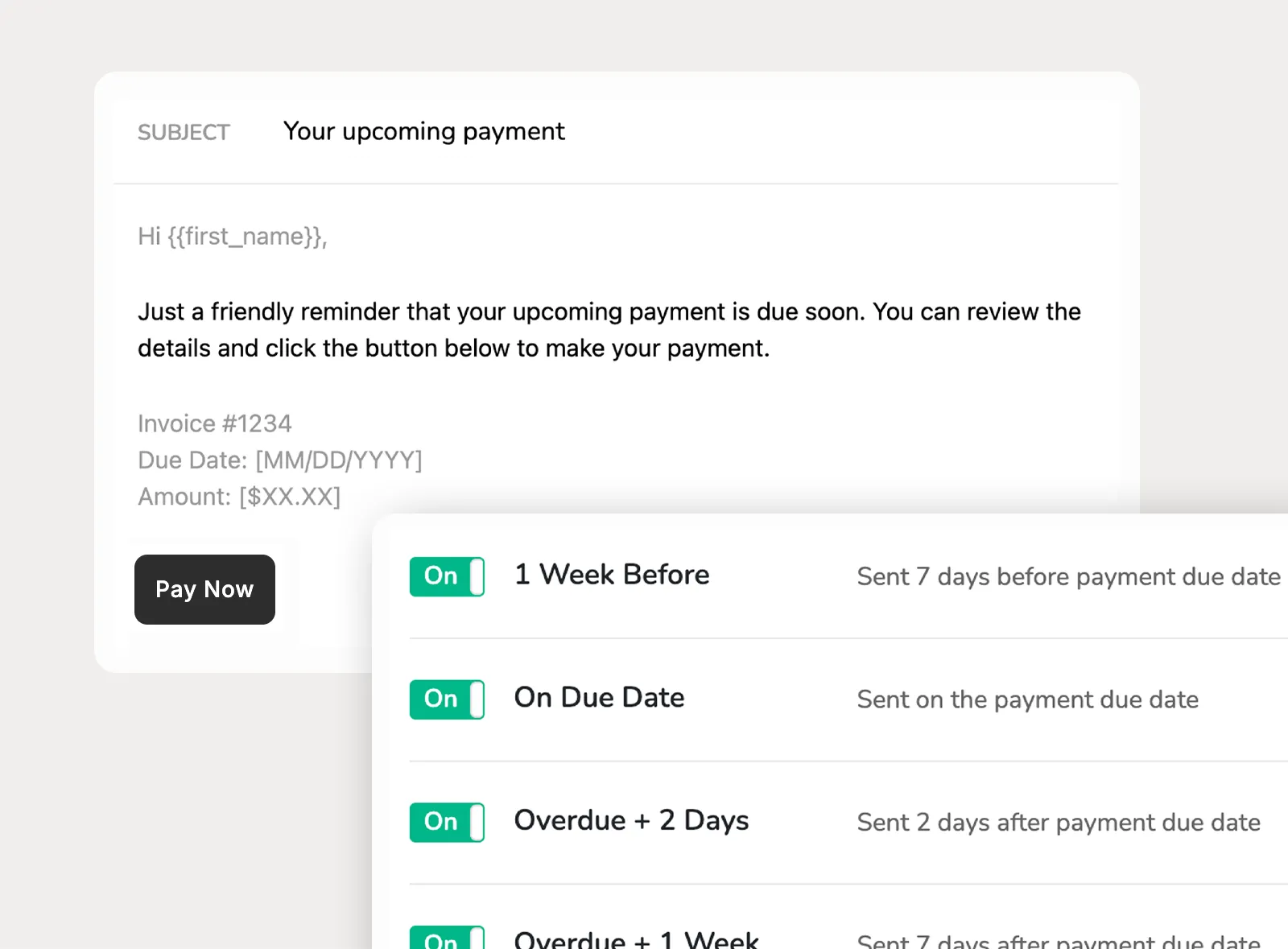
Set company-level reminder emails for upcoming and overdue invoice payments, with customizable language and direct invoice links clients can open without logging in.
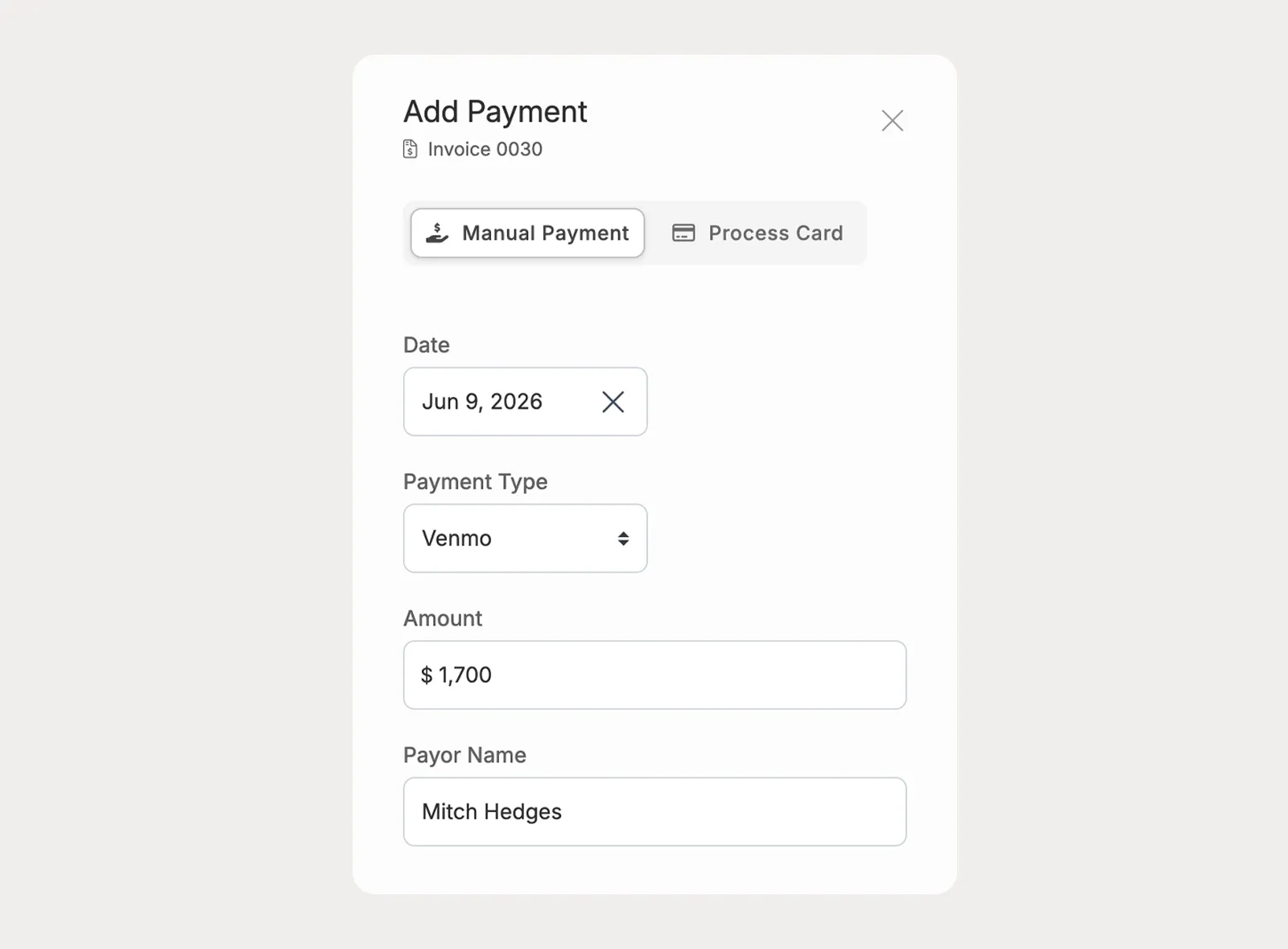
Add payments received outside Stripe, choose the payment method, and let Planpage update the invoice payment schedule based on the amounts recorded.
Keep invoice payment status visible across the business, from upcoming due dates and overdue balances to transaction history and budget totals.
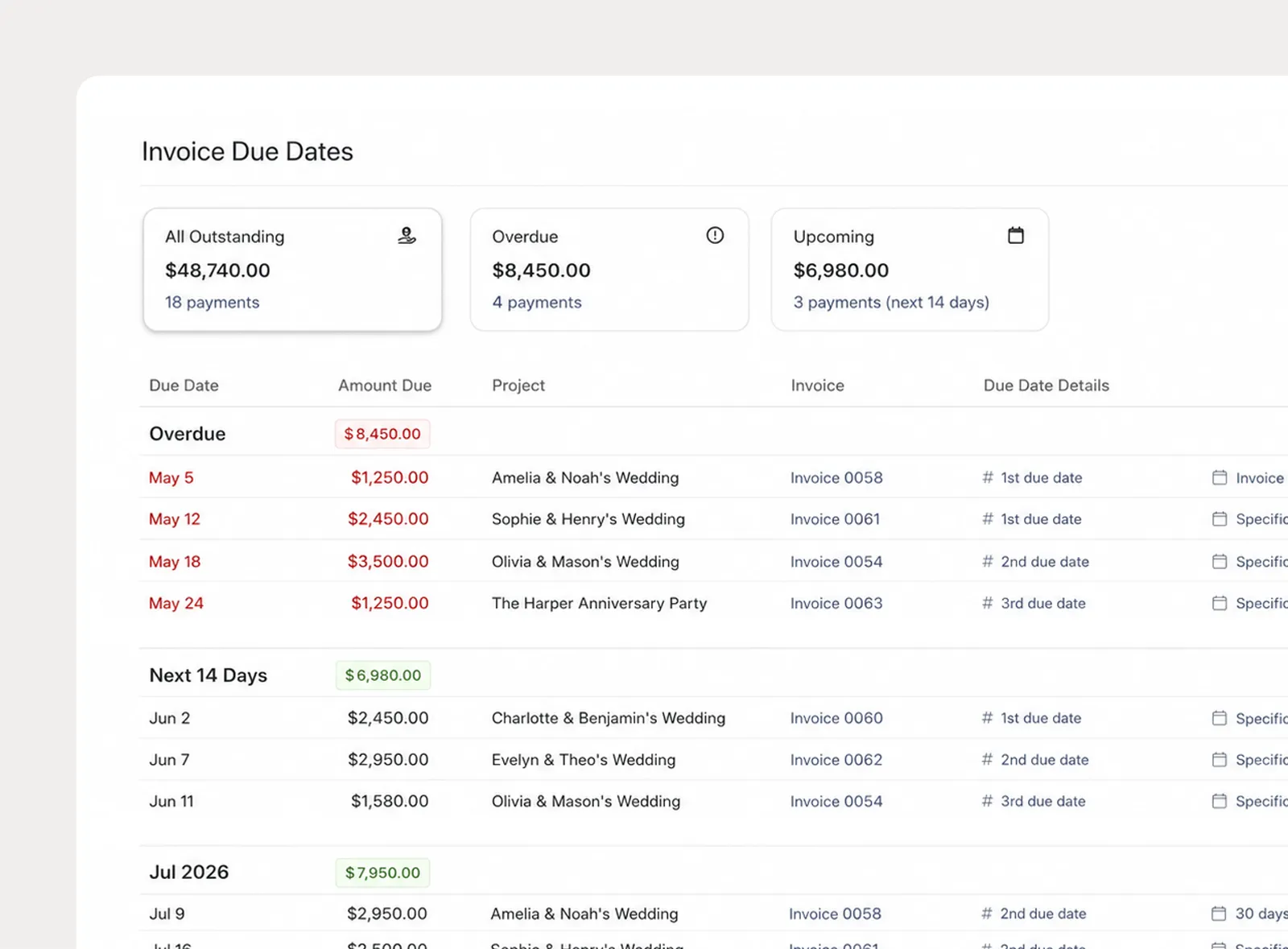
Use the Invoice Due Dates page to review overdue and upcoming invoice payments across projects, with dashboard chips that surface payment totals needing attention.
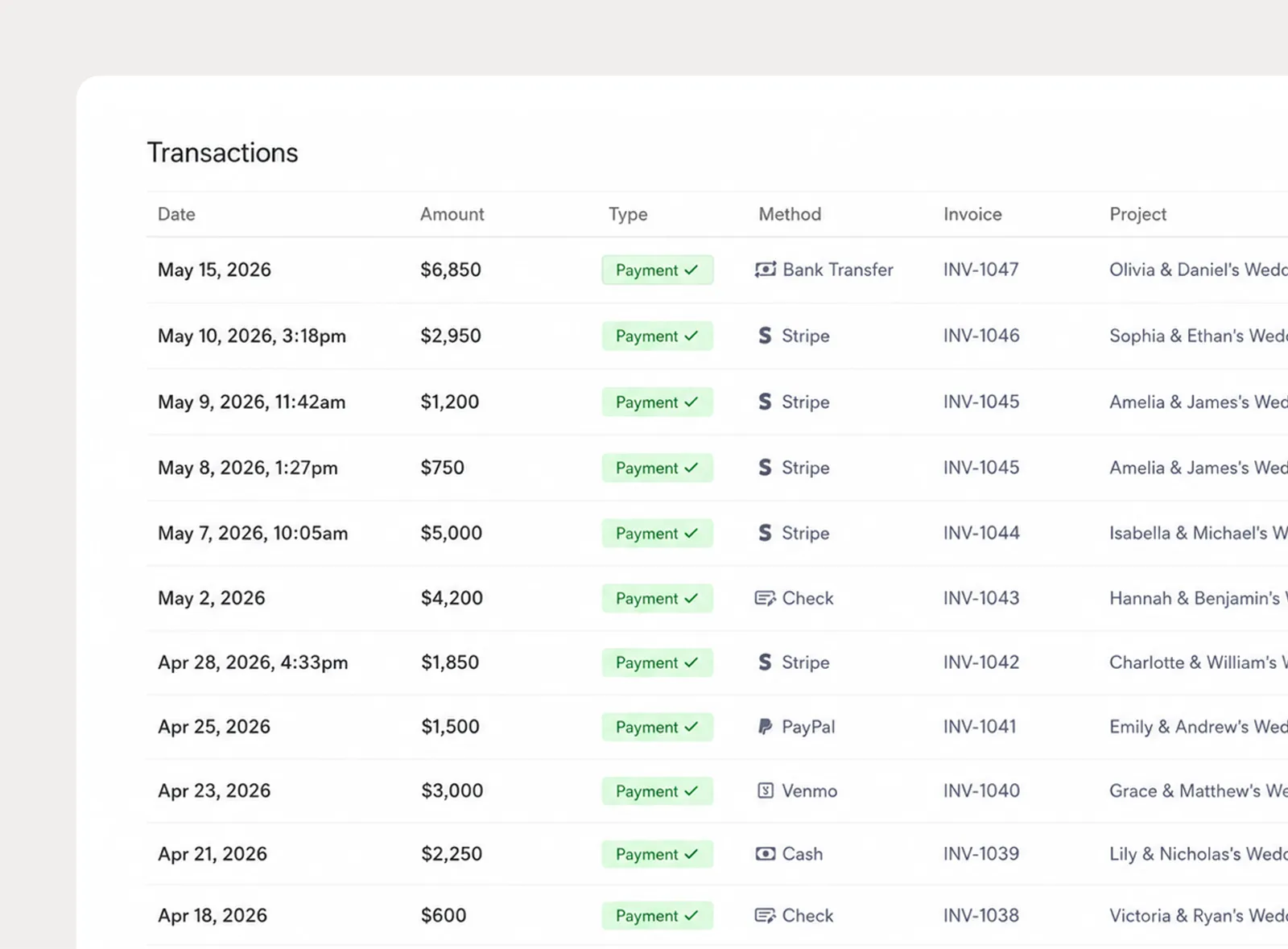
See payment and refund history across invoices from the Transactions page, including Stripe card payments and manual payments recorded by the planner.
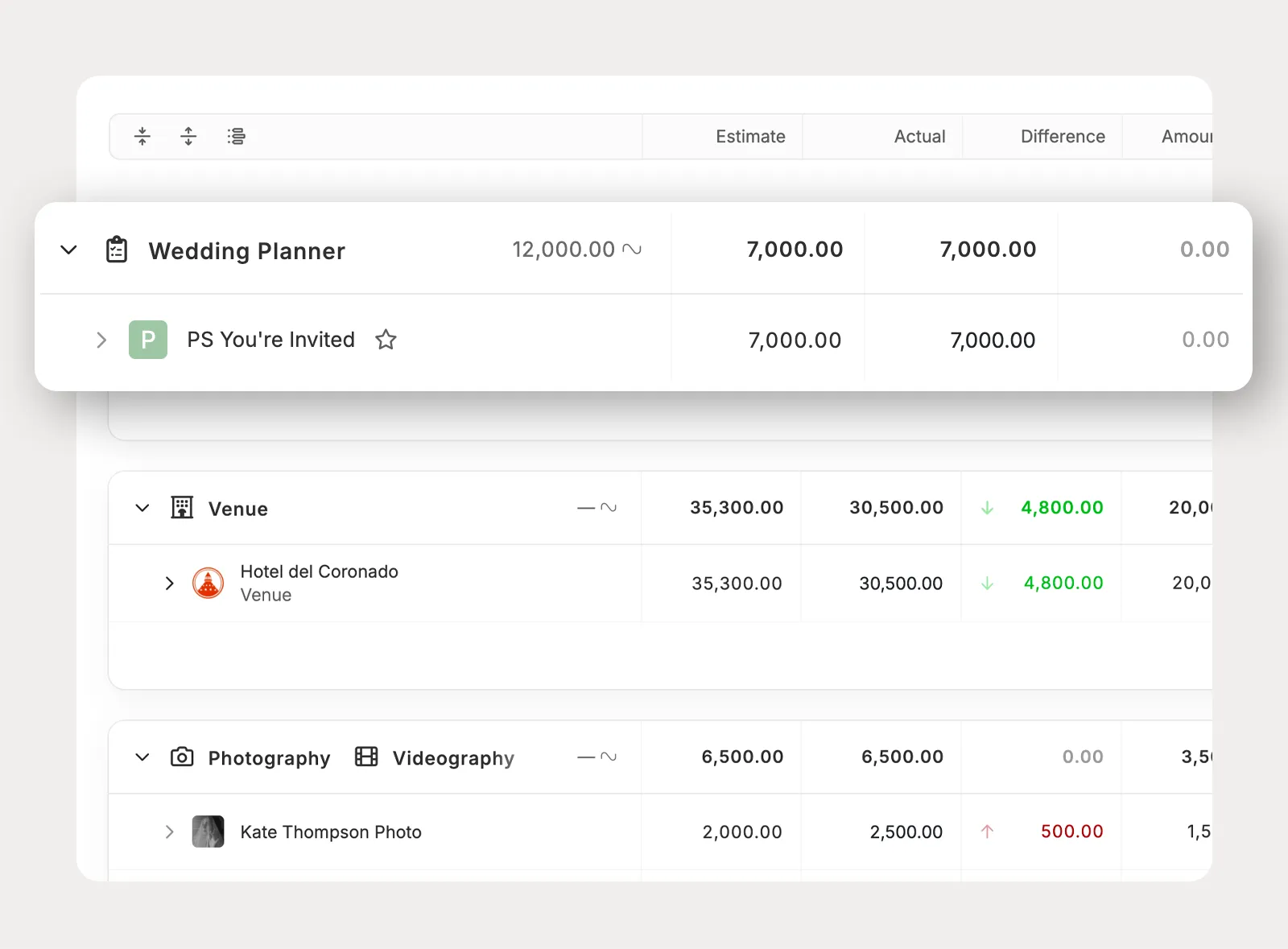
Attach planner invoices to the project budget so invoice totals, paid amounts, and outstanding balances stay connected to the budget as payments change.
Planpage keeps me organized and gives my business a more polished and professional feel.

Planpage enables our team to operate efficiently and give clients a more polished experience.

I've tried all of the platforms, and have not found anything I love as much as Planpage!