Planpage keeps your budget, invoices, and payments connected, so you always know where things stand.

Plan the budget around the real categories, vendors, and line items that shape each event. Start with estimates, connect costs as they become real, and keep the budget organized as the project evolves.
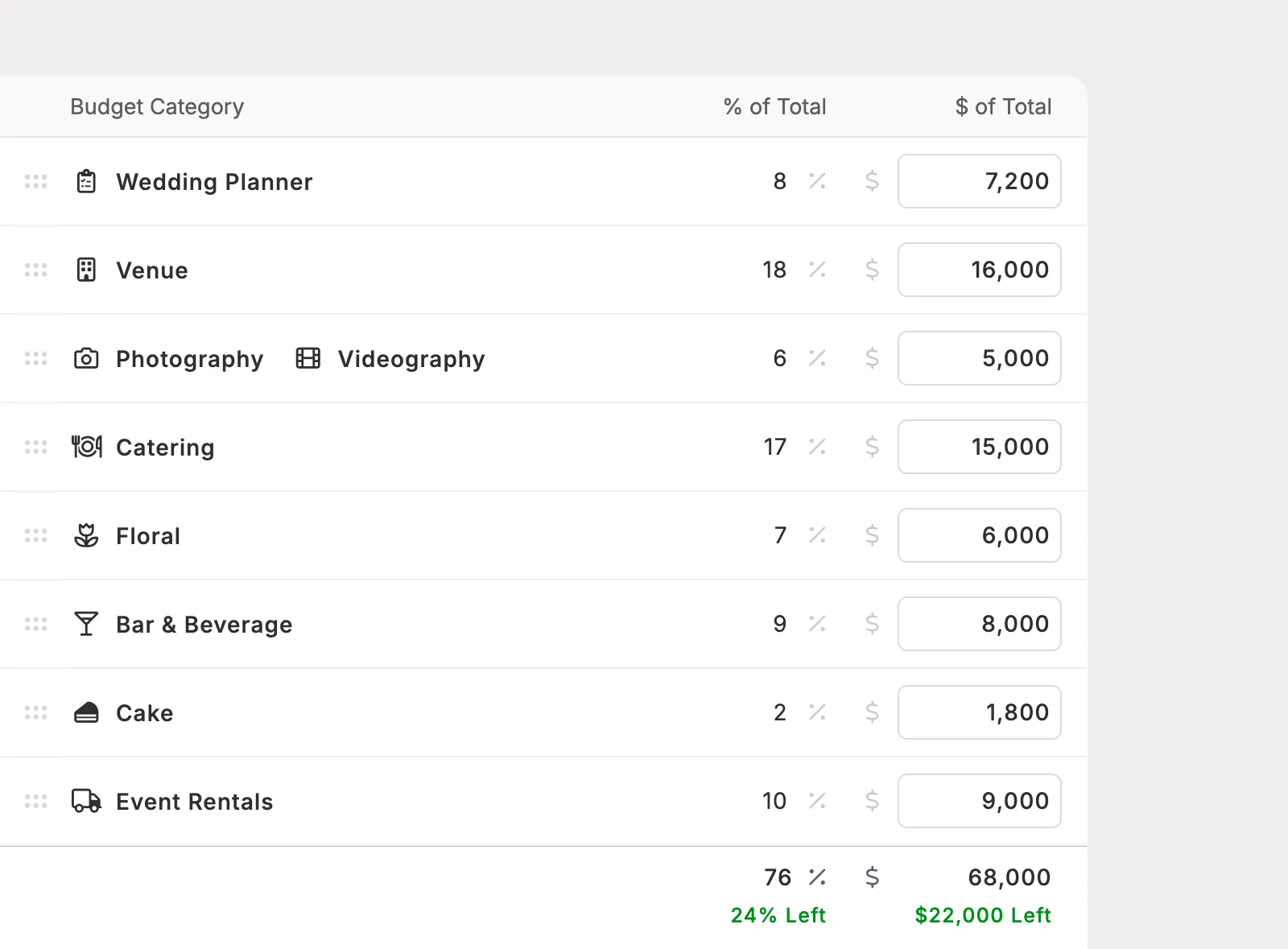
Create budget sections from Planpage categories, combine related categories when it makes sense, or add a custom section name for a budget-specific grouping.
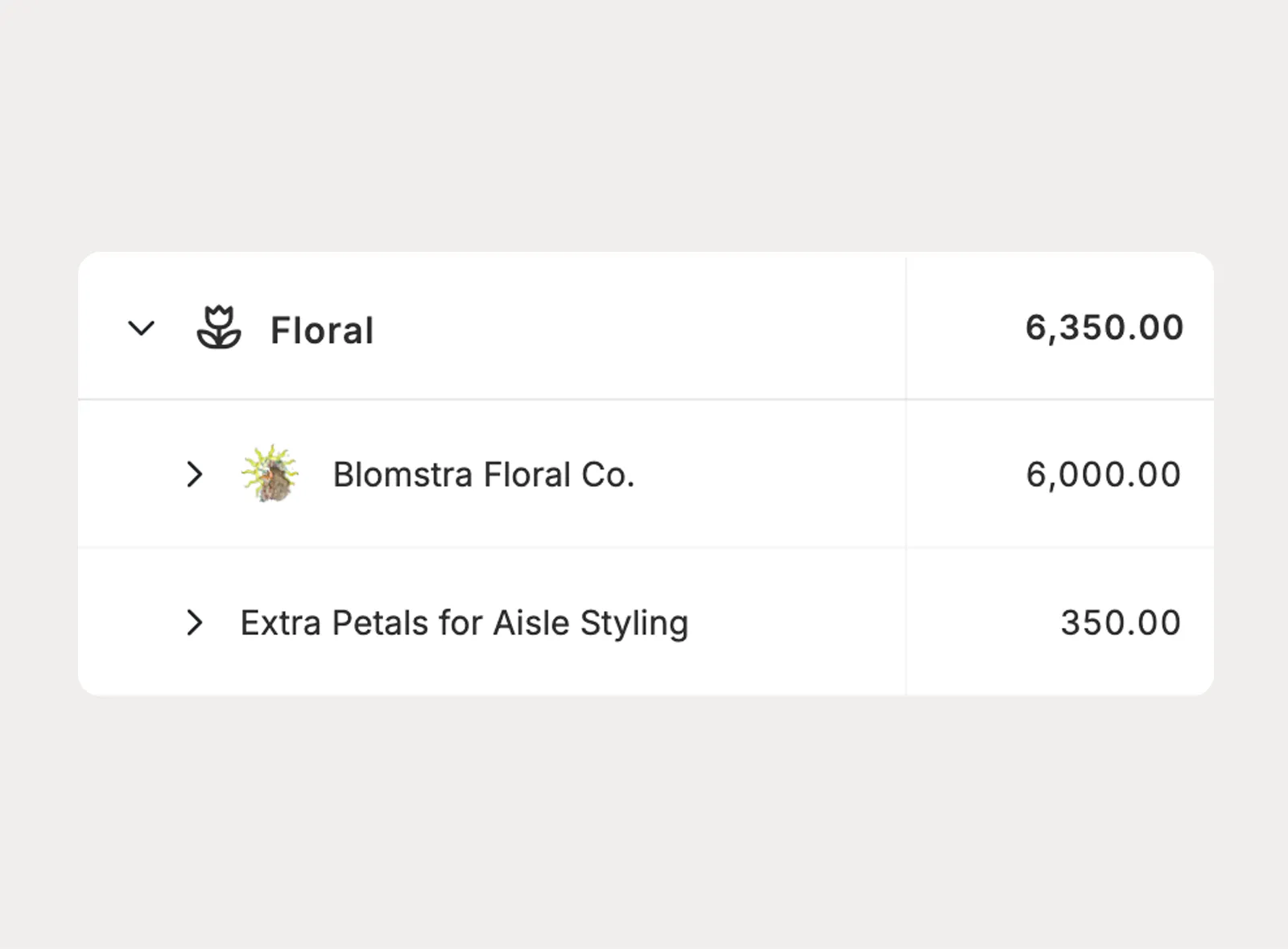
Add line items for the costs you expect, then link a vendor when one is part of the project. Use named line items early in planning before a vendor has been selected.
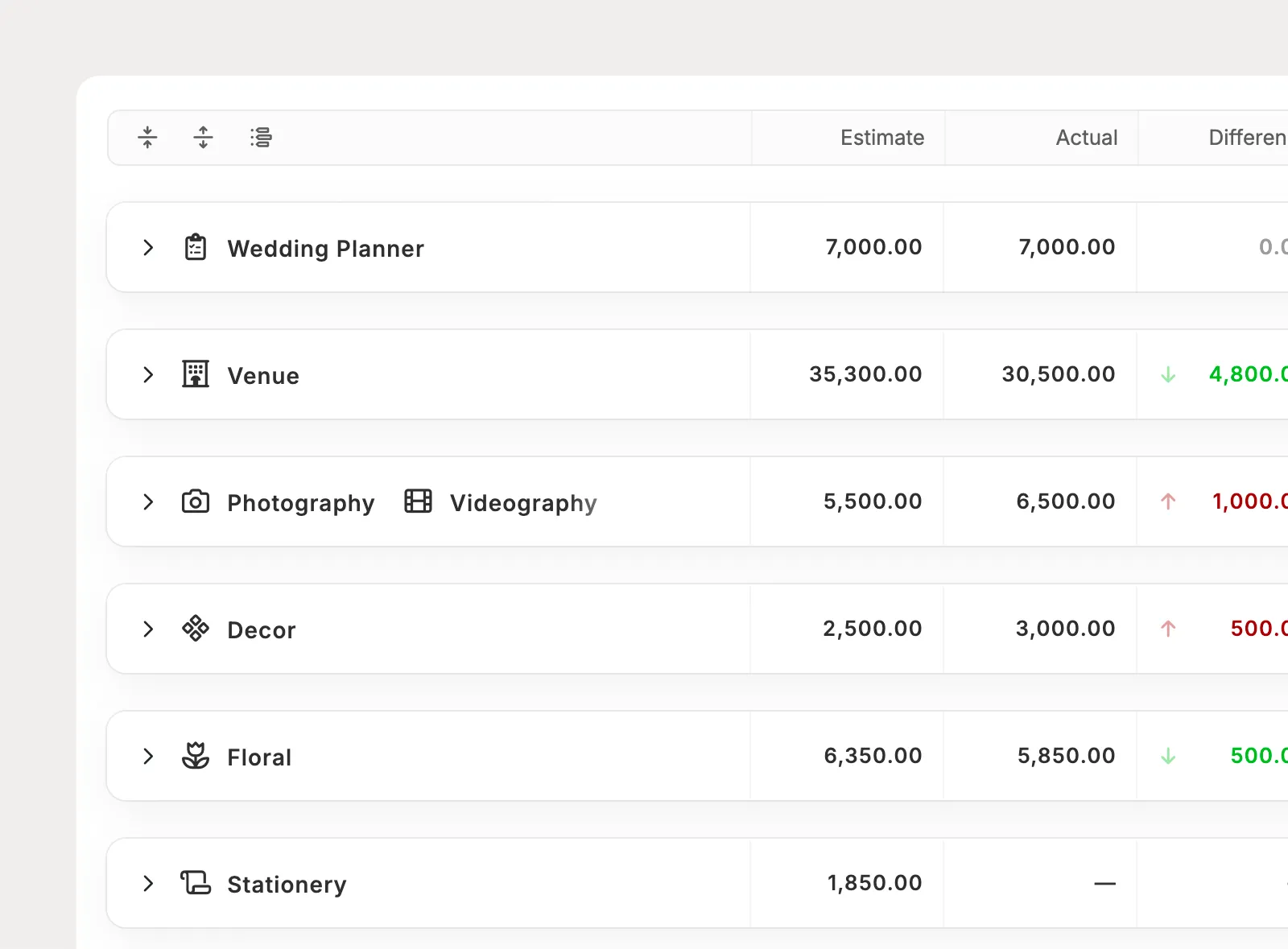
Reorder sections and line items to match how your team reviews the budget. Collapse sections when you want to focus on totals instead of every detail.
Budgets become more useful when actuals come from the invoices and expenses behind the event. Planpage keeps estimates separate from real costs, then rolls those actuals into the budget automatically.
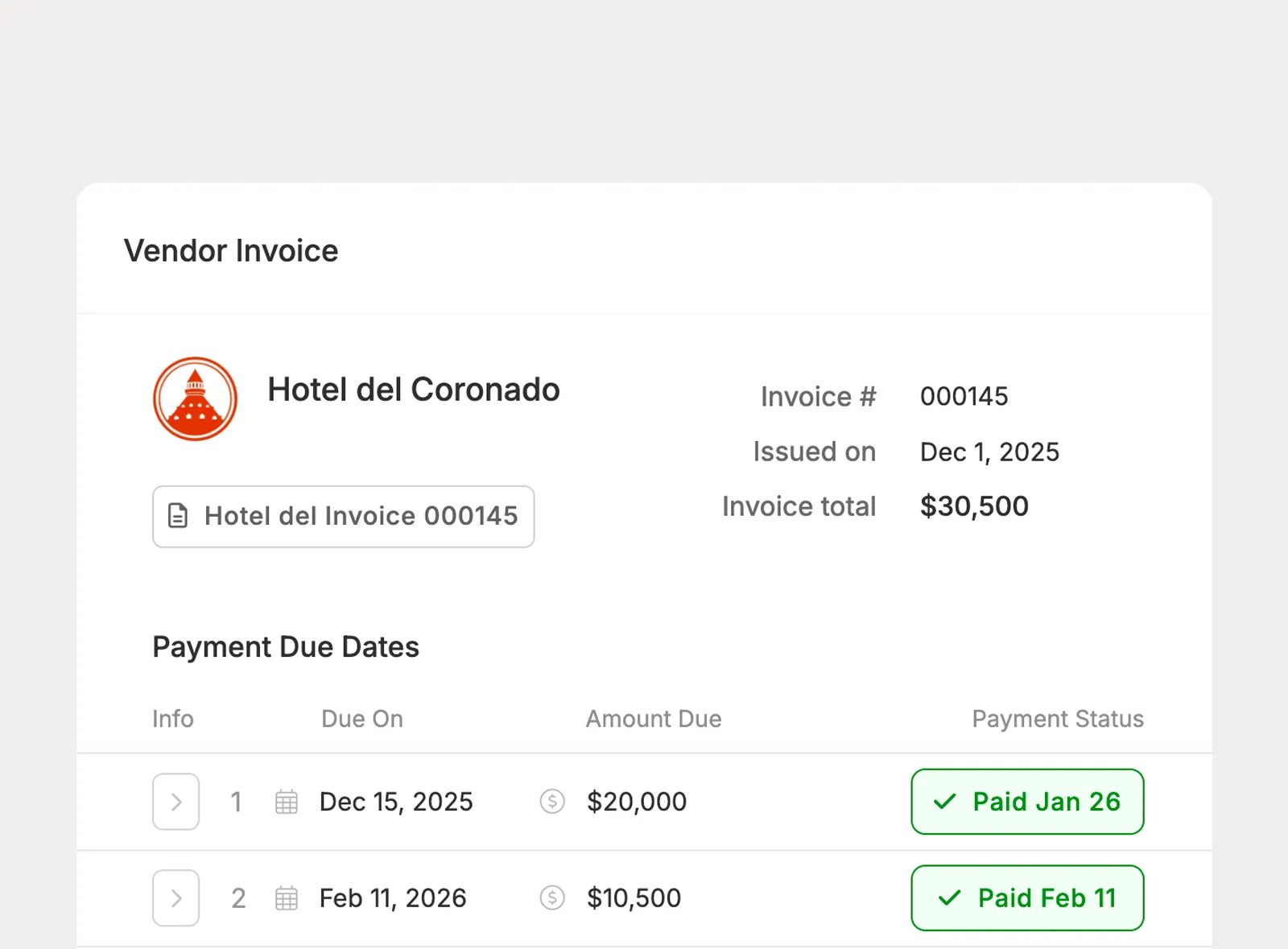
Attach one or more vendor invoices to a line item so totals, paid amounts, outstanding balances, and upcoming payment due dates stay tied to the budget.
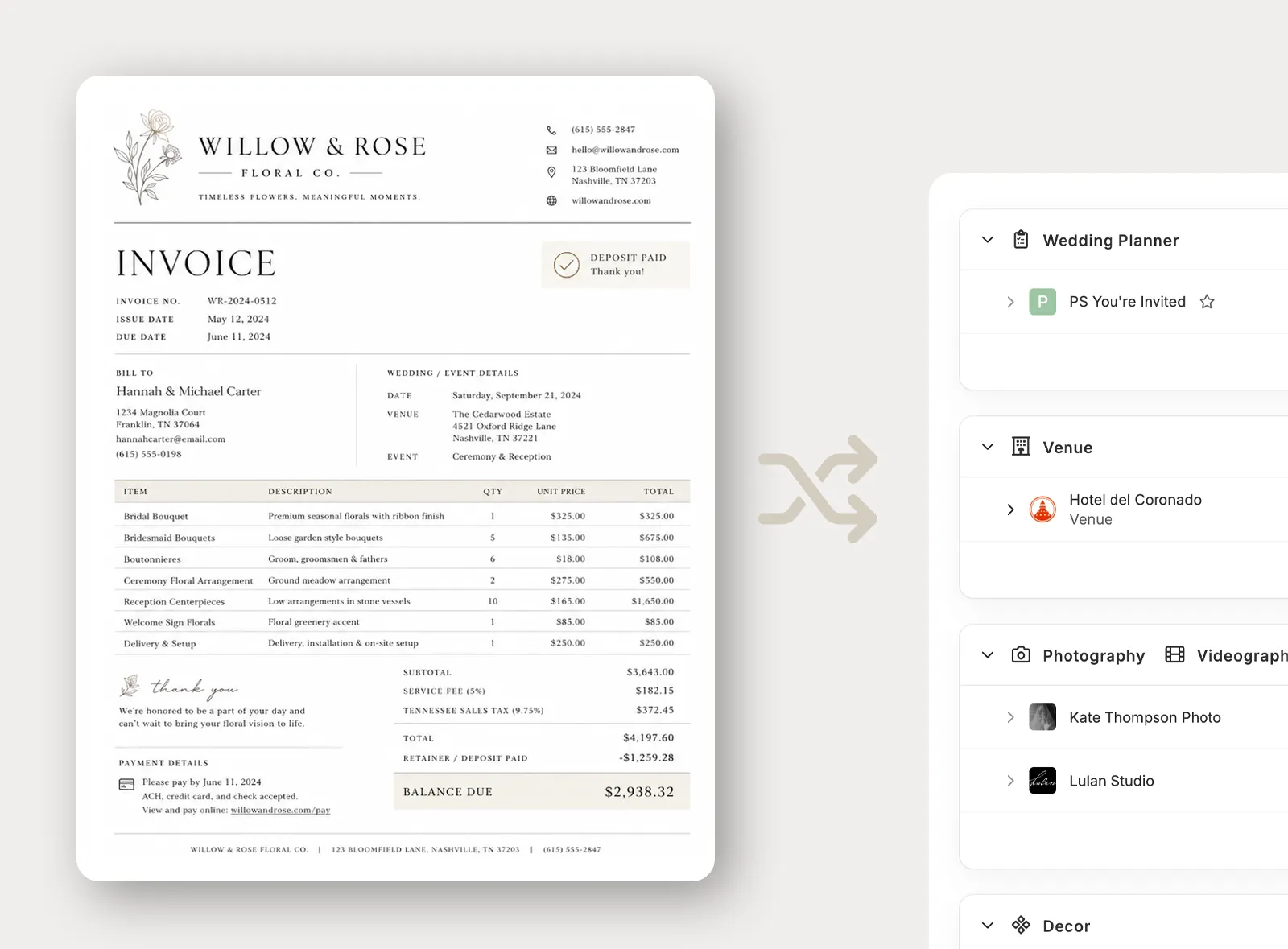
When a vendor invoice PDF is attached, Planpage can scan it and prefill details like the invoice total and payment schedule. Planners review and edit everything before saving.
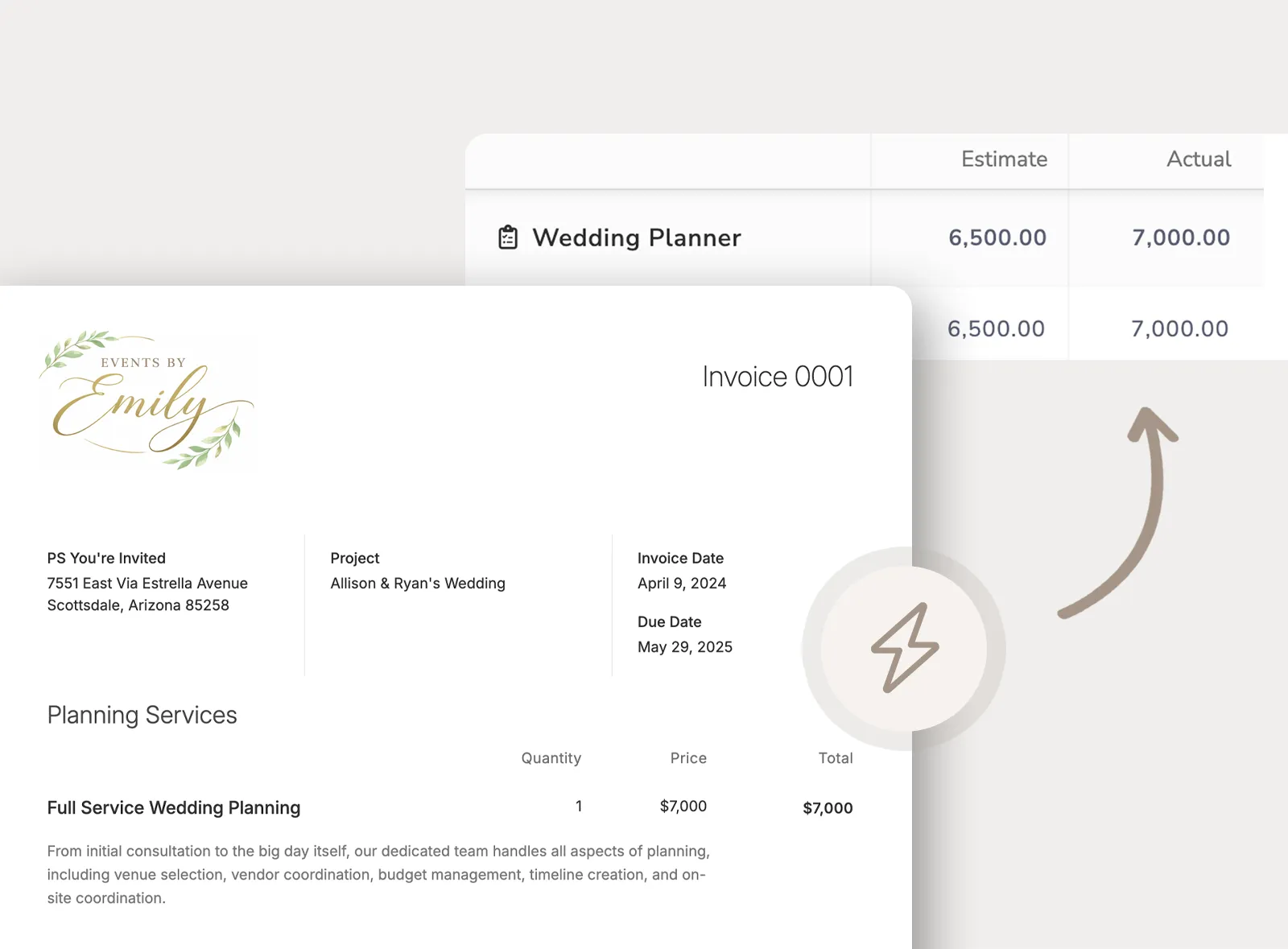
Attach an existing Planpage invoice to the budget line item for your planning services. Payment schedules, paid amounts, and outstanding balances stay synchronized automatically.
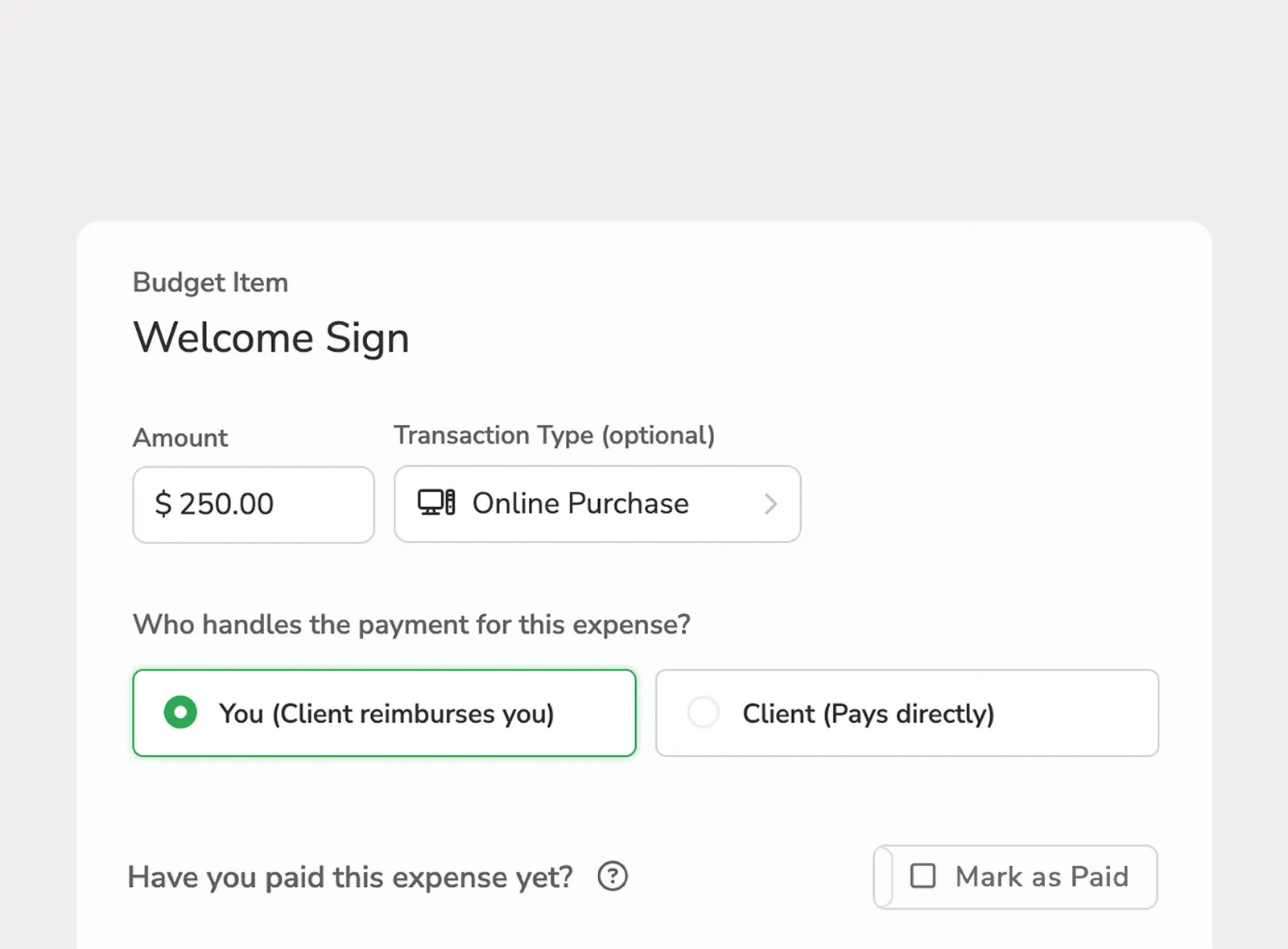
Add expenses to budget line items when a cost is not handled through a vendor invoice. Track planner-paid reimbursable expenses or client-paid expenses that count toward the actual total.
See how the project budget compares to estimates, actuals, paid amounts, and outstanding balances. Planpage helps planners spot where costs are changing without rebuilding totals by hand.
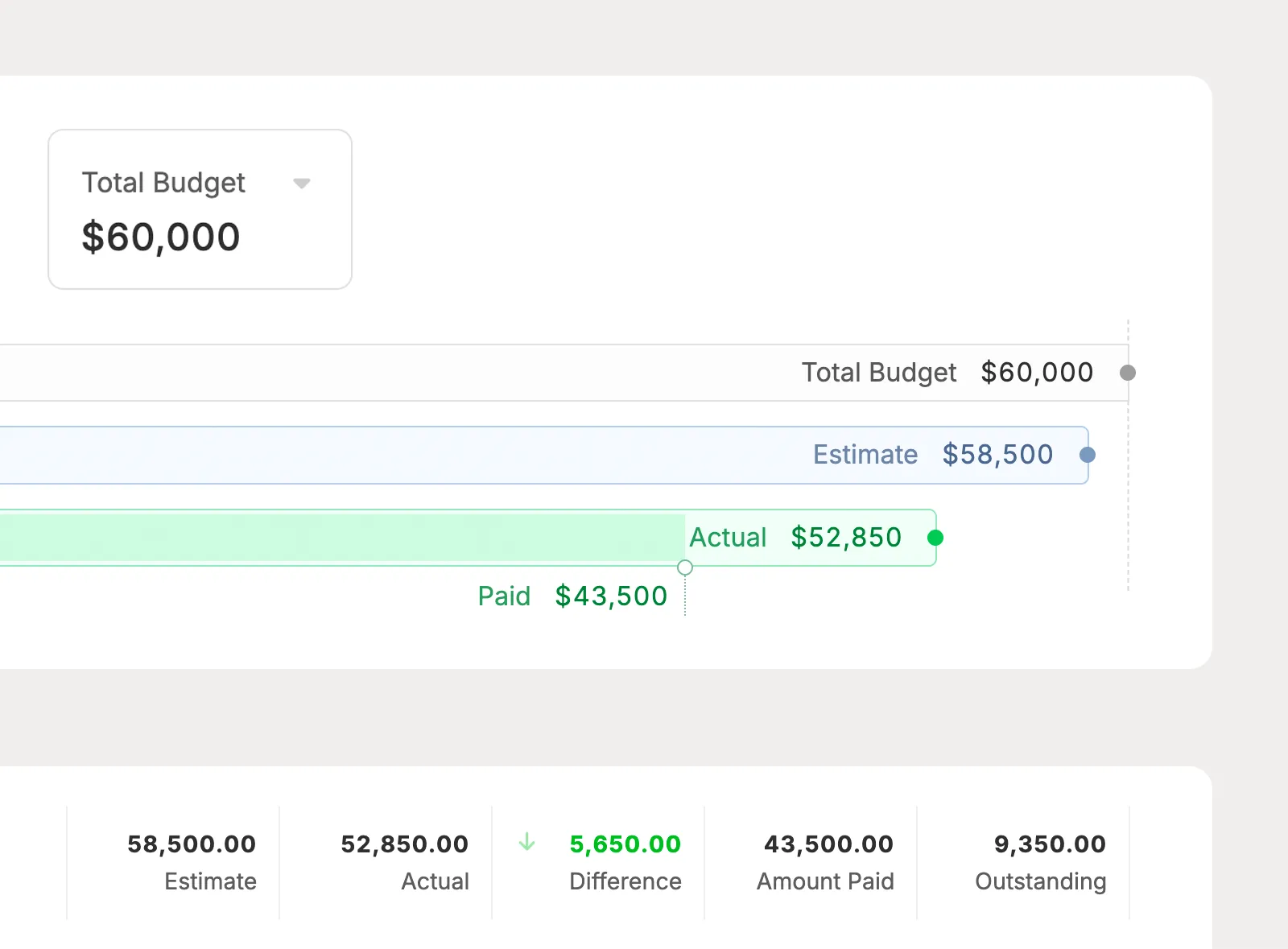
Set the total project budget, then compare it against estimate, actual, and paid totals from the budget chart and roll-up cells.
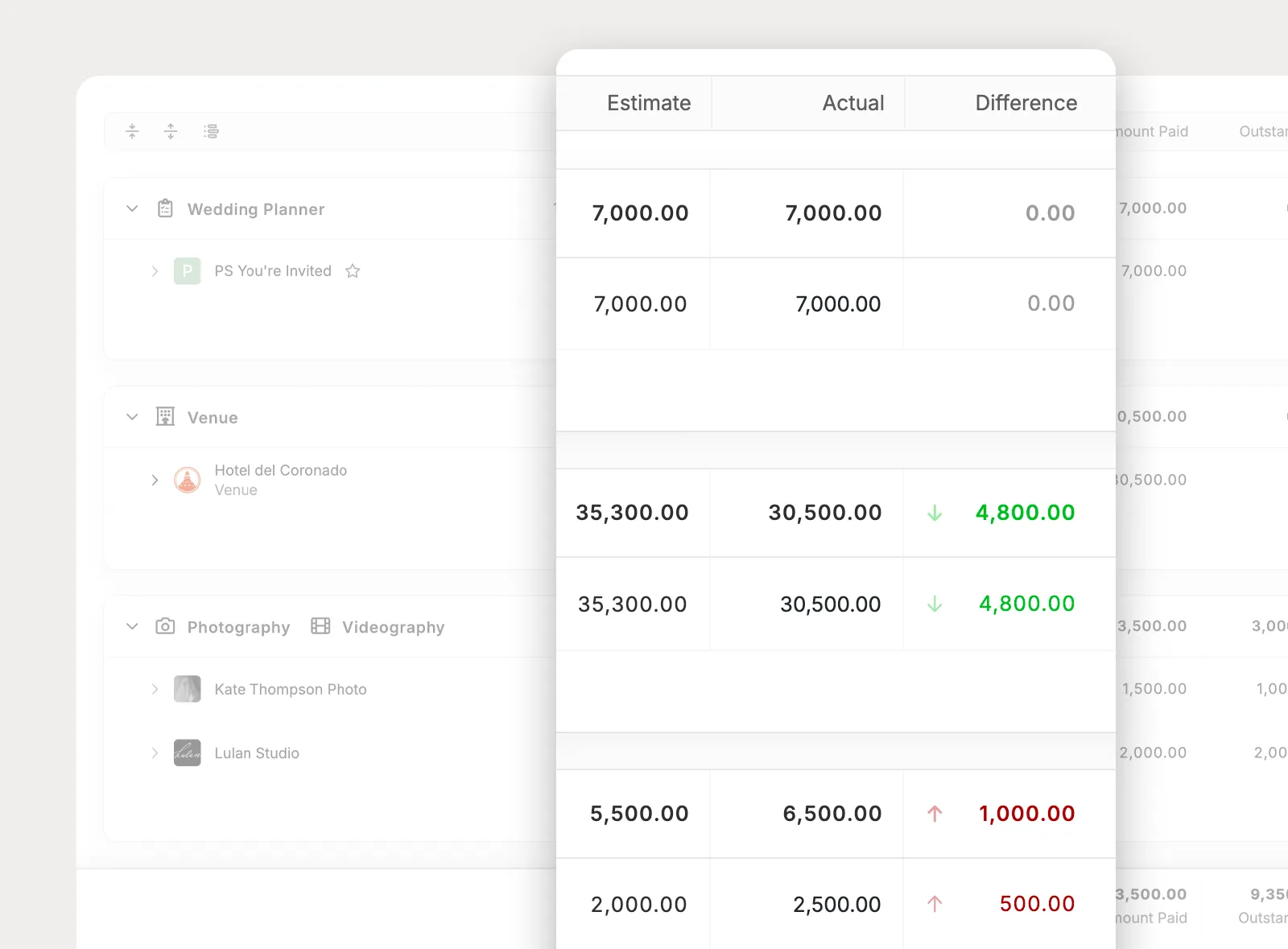
Review the difference between estimates and actuals across the full budget, each section, and individual line items so planners can spot changes quickly.
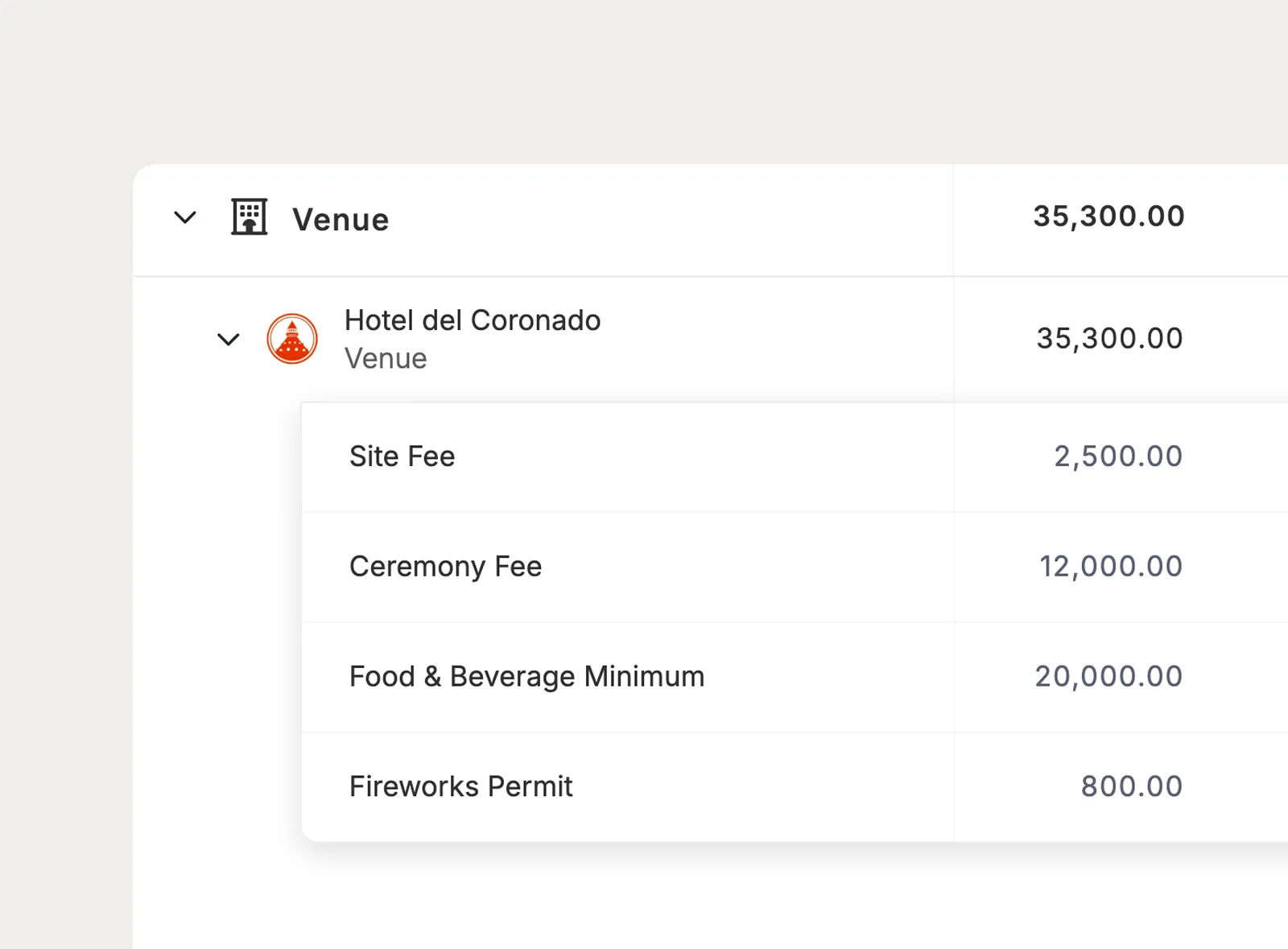
Itemize a line item when one vendor or cost needs more detail, like venue fees, food and beverage minimums, permits, or rentals. Sub-items roll up into the parent line item and section totals.
Vendor payment dates matter long after the budget is built. Planpage surfaces upcoming, overdue, and paid vendor invoice payments across the places planners already check.
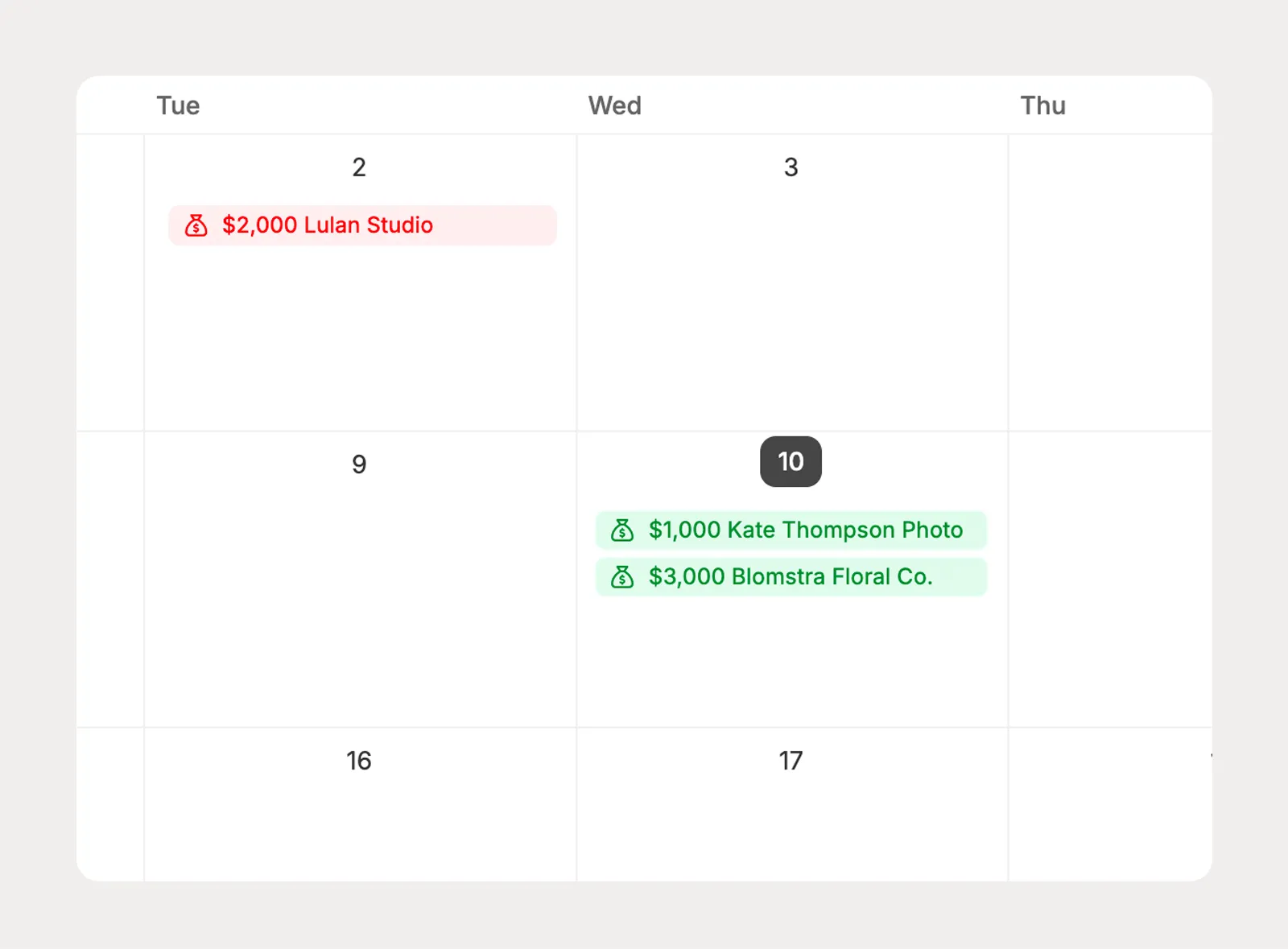
Vendor invoice payment dates appear on the main calendar, with visual status cues for overdue, upcoming, and paid payments.
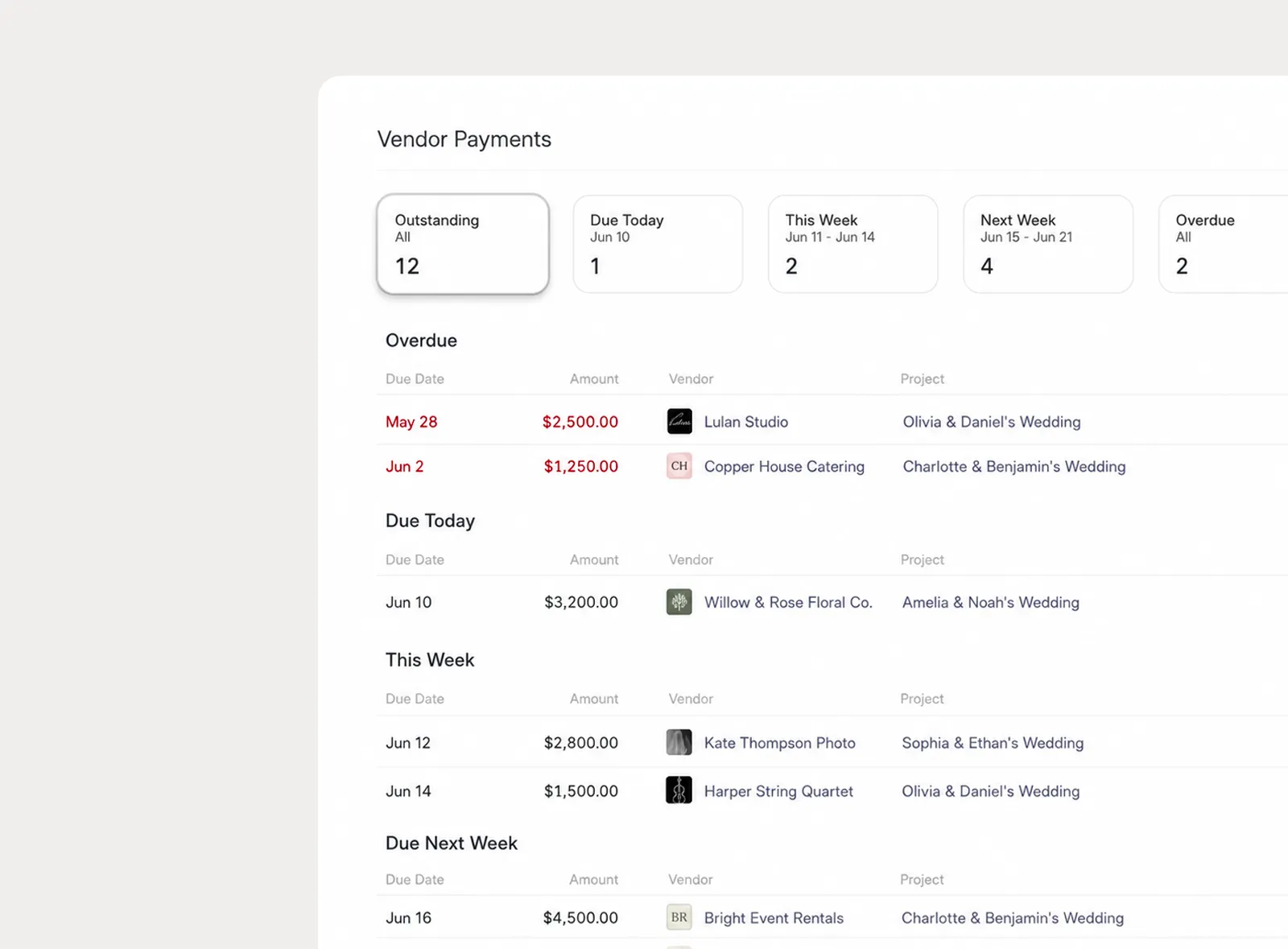
Use the vendor payment overview to see which payments need attention across all projects, including overdue payments and upcoming due dates.
When a client needs visibility, share the project budget through the portal so they can understand totals, review itemized detail, and keep vendor payment tracking up to date.
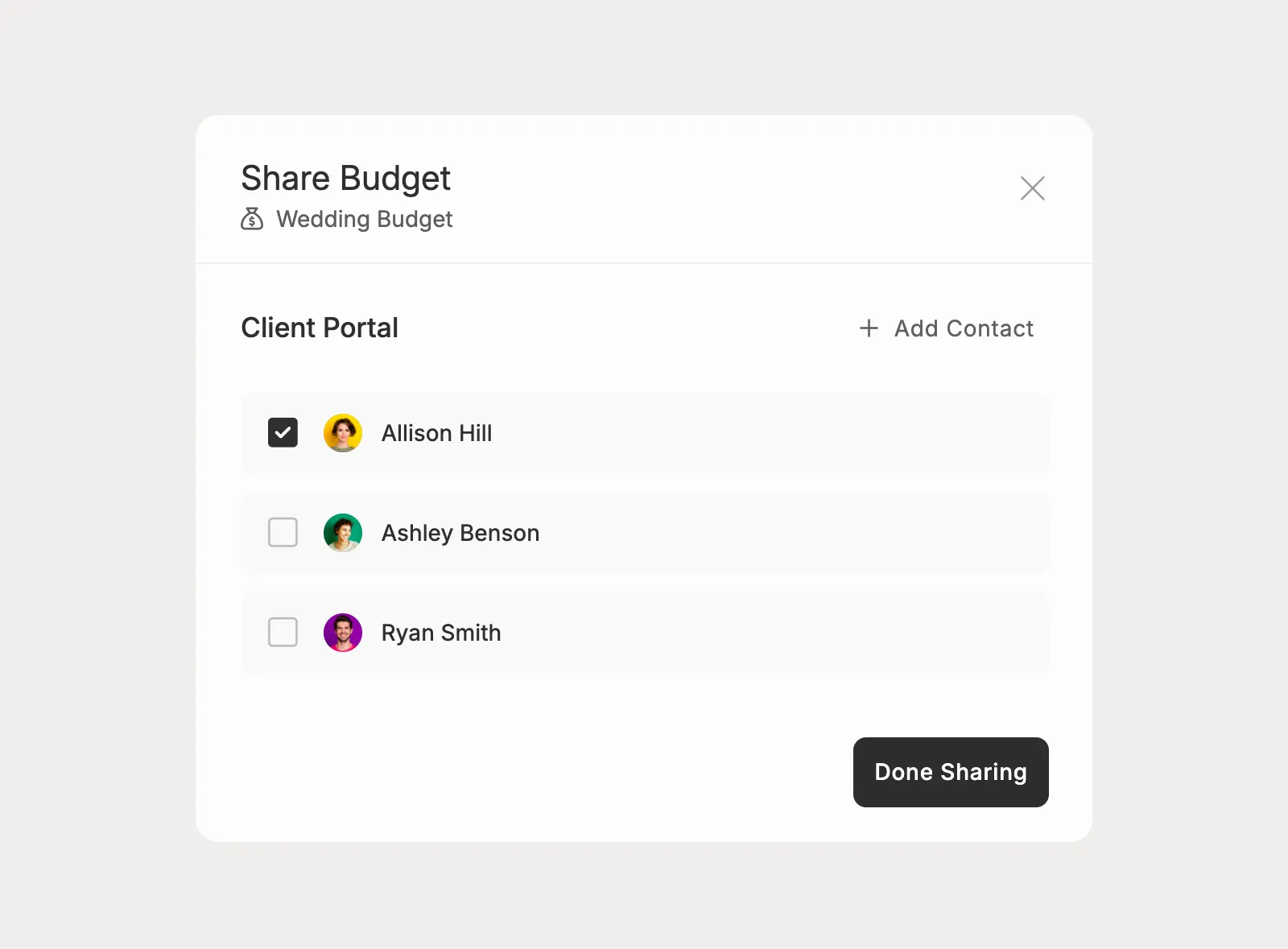
Choose which clients can see the project budget in the portal. Clients can review totals, expand itemized details, and understand where costs come from without changing the budget structure.
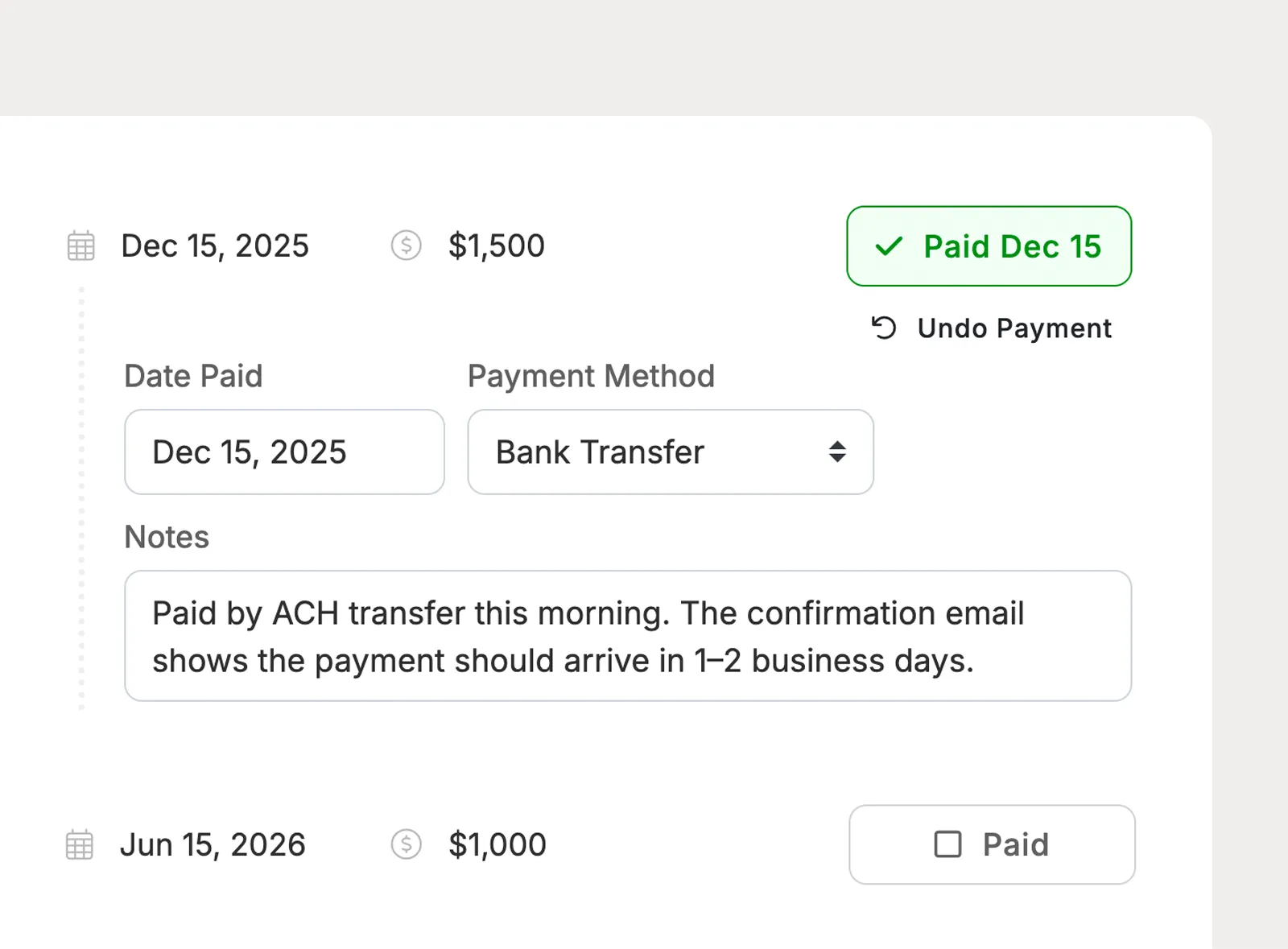
When clients pay vendors directly, they can mark vendor invoice payments as paid from the shared budget. Paid and outstanding totals update automatically.
Planpage keeps me organized and gives my business a more polished and professional feel.

I love having everything in one place, and it provides a fantastic experience for my clients.

There's so much value with Planpage, and the customer support is fantastic.